ManualTyson Group plugin →
Tyson Group
The bus-plugin coordinator for a stack of Tyson de-essers. Put it on the vocal aux, give it and every stacked Tyson the same GROUP name, and it budgets de-essing across the stack so a doubled/tripled BV group isn’t de-essed track-by-track into a lifeless, lispy composite.
The interface - every control mapped
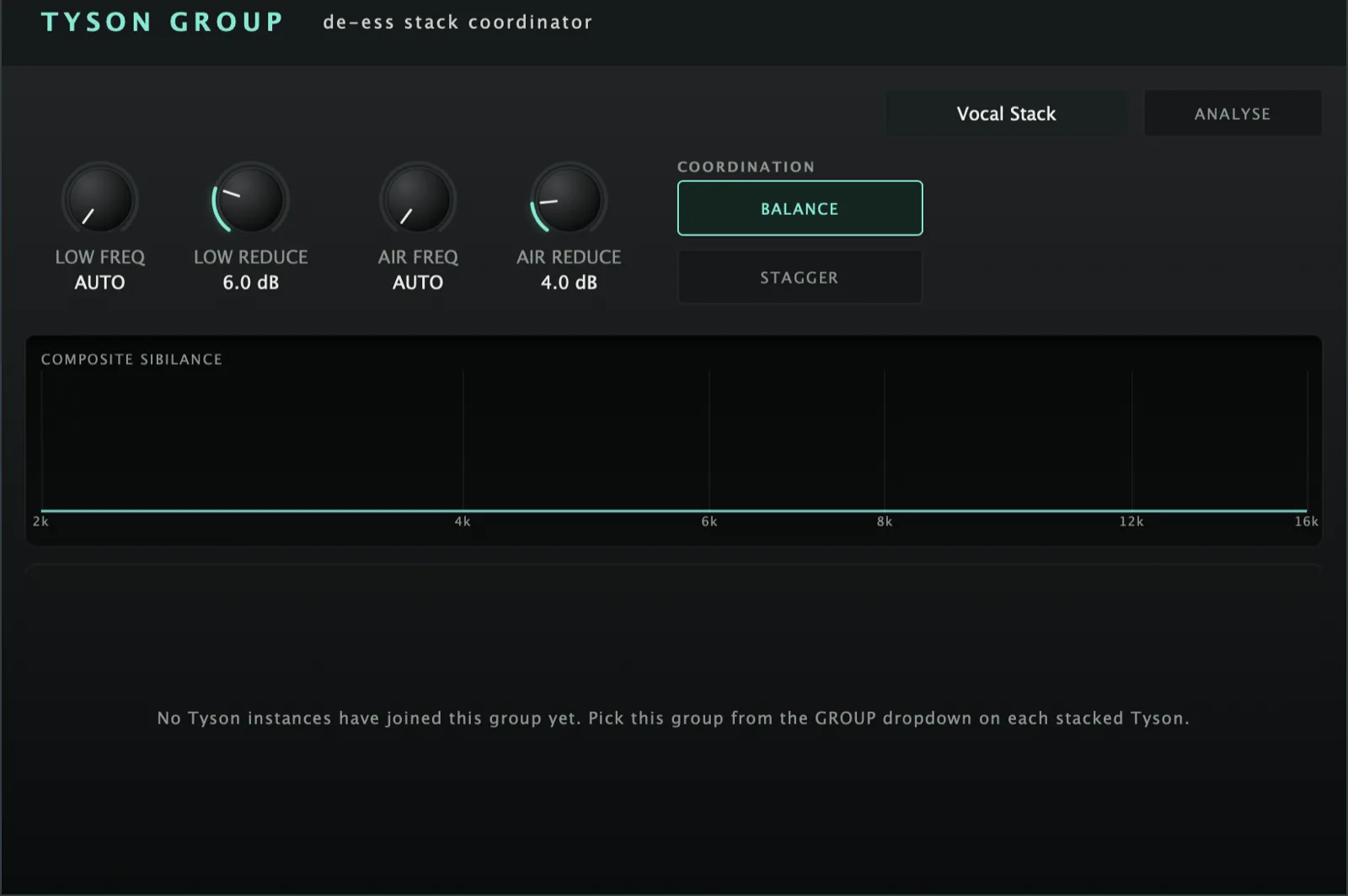 12345678910
Quick start
- Insert Tyson Group on the vocal aux/bus; type a GROUP name in its field.
- On each stacked Tyson, pick that group from its GROUP dropdown (coordinator names, satellites select).
- Set the composite LOW / AIR REDUCE targets and (optionally) master FREQ (0 = AUTO per member).
- Run ANALYSE to give each member bespoke band centres, then watch the composite meter flatten.
Grouping & budget
Name the stack here. Each stacked Tyson then selects this group from its dropdown — no free-typing on members. Load-order-independent (a Tyson can join before the coordinator exists).
The composite reduction target per band — the budget R. The levelled target is T = maxSibilance − R; each member gives clamp(sibilance_i − T, 0, ceiling). Louder members give way more; members at/below T keep their ess.
Master band centre. 0 = AUTO (each member keeps its own ANALYSE-detected centre); above 0, pins every member to this centre.
BALANCE = the sibilance-levelling budget on/off (amount). STAGGER = spread members’ detector centres apart by slot (~±6%) to stop stacked sibilance fluttering/combing. Independent — both-on is normal.
Analysis & monitoring
Main-Analyser-style timed measurement: a confirm dialog, then a 10-second measuring window during which every member peak-holds its HF sibilance profile. On finish the registry picks each member’s bespoke band centres and bumps analyseGen, so each Tyson applies the new freq/Q/threshold/range once (the continuous budget keeps riding).
One row per Tyson: name, per-band sibilance + how far the budget is pulling it back, and a SOLO box (audition that member; ending a solo engages the group DIM, shown as an UNDIM button).
The summed HF profiles of all members. As the budget levels the stack, the hump over the sibilant region flattens — the visual proof the coordinator is working.
budgetScale (never a parameter write, so live levelling can’t fight a hand tweak). It does not touch LevelsBrain; it runs on a separate self-contained registry. In-process only, same limit as the brain.