

guide
AU or VST3 - which should you install?
AU (Audio Units) is Apple's plugin format and is used by Logic, GarageBand and most macOS-only hosts. VST3 is Steinberg's, and runs on both macOS and Windows in Cubase, Reaper, Studio One, Ableton Live and others. When a DAW loads both, the choice makes no audible difference - the processing code is identical.
What the two formats are
A plugin format is a contract between the plugin and the host: how audio is passed in and out, how parameters are named and automated, how state is saved into a project. It is not a description of the processing.
AU is Apple's, introduced with OS X, and is macOS-only. VST3 is Steinberg's, is cross-platform, and replaced VST2 - which Steinberg stopped licensing in 2018, so new plugins are generally VST3 and not VST2.
One plugin usually ships as both. The same DSP is compiled into two wrappers, and the wrapper is the only part that differs.
Which one your DAW wants
- Logic Pro and GarageBand - AU only. They will not scan for VST3 at all.
- Cubase and Nuendo - VST3.
- Ableton Live, Reaper, Studio One, Bitwig, FL Studio - both on macOS, VST3 on Windows.
- Pro Tools - neither. See below.
If your host takes both, install both. They sit in different folders, they do not conflict, and it costs you a few megabytes. The one thing worth avoiding is loading the same plugin in two formats in one project and wondering why a preset saved in one does not appear in the other.
Does the format change the sound?
No - not for any plugin built the normal way, including ours. The audio processing lives in one piece of code that both wrappers call. An AU and a VST3 of the same plugin, at the same settings and the same sample rate, produce the same samples.
Where people hear a difference, it is almost always something else: a different sample rate, a different oversampling setting that did not transfer, a default that differs between the two because the host stored the state differently, or plugin delay compensation behaving differently in the two paths.
Why Pro Tools is not on the list
Pro Tools does not load AU or VST3. It uses AAX, Avid's own format, which requires a developer agreement and a separately signed build. A plugin is either built for AAX or it cannot run in Pro Tools - there is no setting that changes this.
Wrappers exist that host VST3 inside an AAX shell. They work, with caveats around automation and delay compensation, and they are a legitimate route if Pro Tools is your only host.
Our plugins are AU and VST3 today. The install guide lists what is confirmed working where.
Where the files go
- macOS AU -
/Library/Audio/Plug-Ins/Components - macOS VST3 -
/Library/Audio/Plug-Ins/VST3 - Windows VST3 -
C:\Program Files\Common Files\VST3
Those are the system-wide locations, which is where an installer puts things and where every host looks by default. If a plugin does not appear, the first thing to check is that it landed there and not in the per-user equivalent under your home folder - and on macOS, that the host has been told to rescan.
Common questions
Does AU or VST3 sound better?
Neither. The two are wrappers around the same processing code, so at identical settings they produce identical audio. Differences people report usually trace back to a setting that did not carry over between the two versions.
Can I use VST3 plugins on a Mac?
Yes. VST3 is cross-platform and works in Reaper, Ableton Live, Studio One, Bitwig, Cubase and others on macOS. The exception is Logic Pro and GarageBand, which only load AU.
Why doesn't my plugin show up in Pro Tools?
Pro Tools only loads AAX, Avid's own format - it does not scan for AU or VST3 at all. A plugin has to be built and signed specifically for AAX, so if it has not been, no setting in Pro Tools will find it.
Should I install both AU and VST3?
If your DAW takes both, yes. They install to separate folders and do not conflict, and having both means a project opened in a different host still finds the plugin. Just avoid mixing formats of the same plugin within one project.
Tools for this
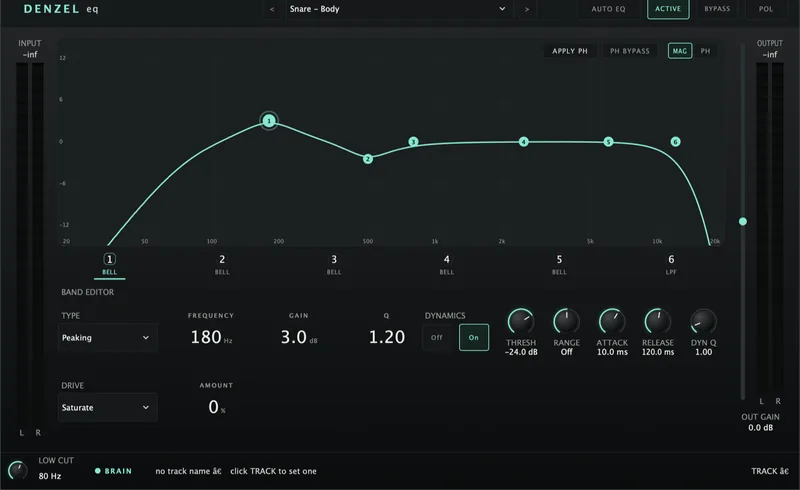
Denzel EQ
£29Vintage hardware is loved for its faults - one band gritting up before the rest, drive that leans harder the more you push it, a point where it simply gives up. Denzel lets you design those faults yourself, band by band, and decide whether the damage lands before or after the EQ moves. Then it carries on past anything that could be built: fold a band back on itself dozens of times over, crush it to three bits, aim it at one frequency and leave the rest untouched. Not an emulation of one box - a machine for inventing them.
View plugin →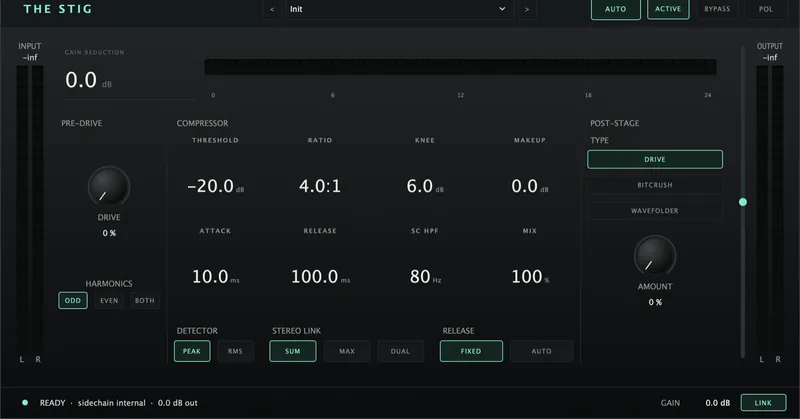
The Stig Compressor
£29A compressor that saturates hard and distorts harder. The drive hits the detector, not just the tone - so it changes how it grabs, not only how it sounds.
View plugin →